


Simple Ways to Configure Your Bose 901s
and Proven Solutions for Your Specific System Needs
There are many ways to configure and enjoy your classic Bose 901 speakers. You may be considering adding a subwoofer to your system, or driving two pairs of 901s in your listening room. Or perhaps you want to make 901s the core of your home theater setup.
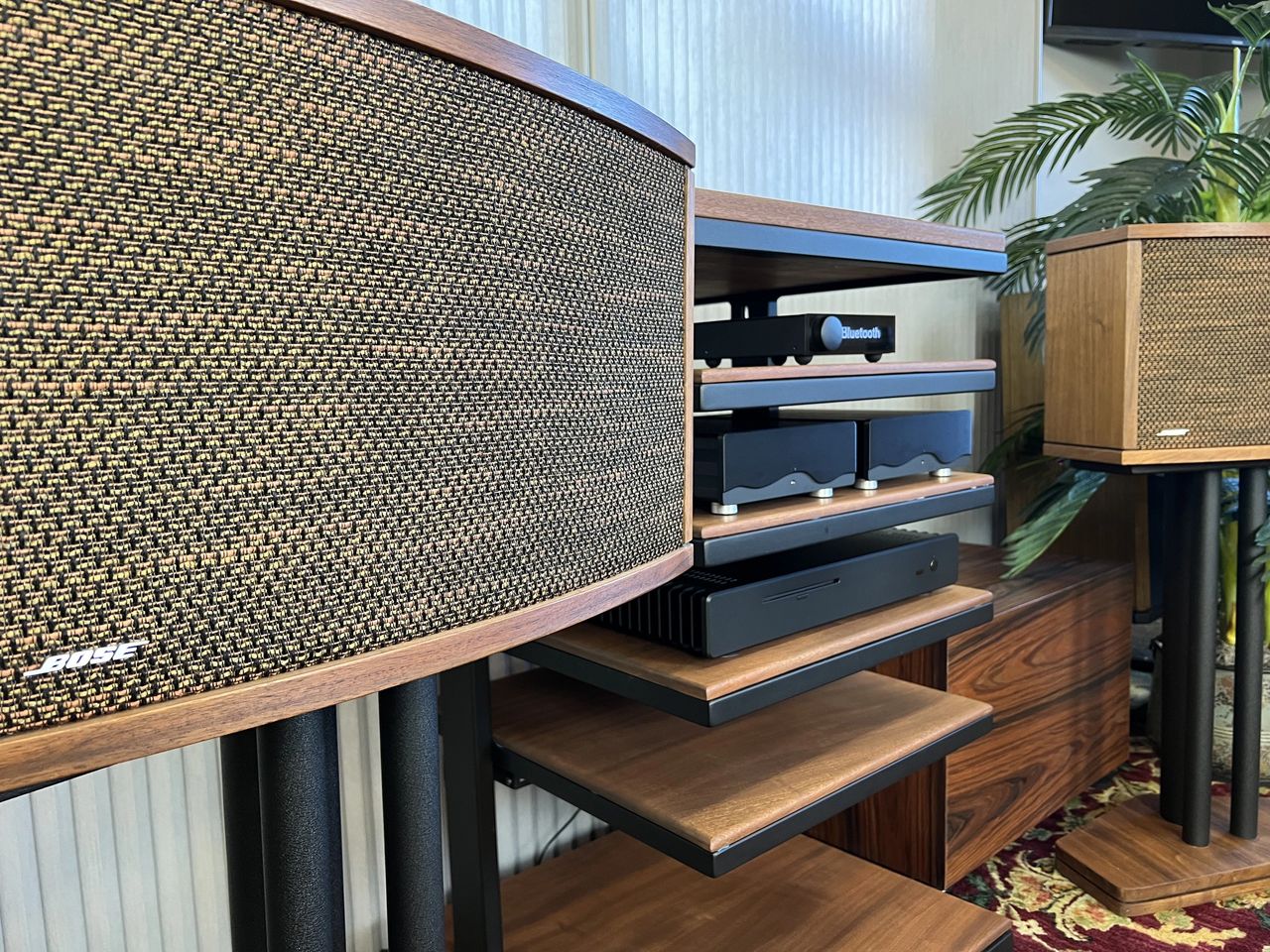
At Deer Creek Audio, we've had the opportunity to work with many customers to build a wide variety of configurations for their Bose 901 systems. Here we will outline a few different setup examples, and give some ideas on how to implement them in your own listening environment.
- Bose 901s with Integrated Subwoofer
- Dual Stereo Bose 901s with Two Amplifiers
- Driving Four Bose 901s with a Single Amplifier
- Audio Video Receiver Setup for Bose 901s
- Combining Bose 901s with Non-Bose Speakers
Bose 901s with Integrated Subwoofer
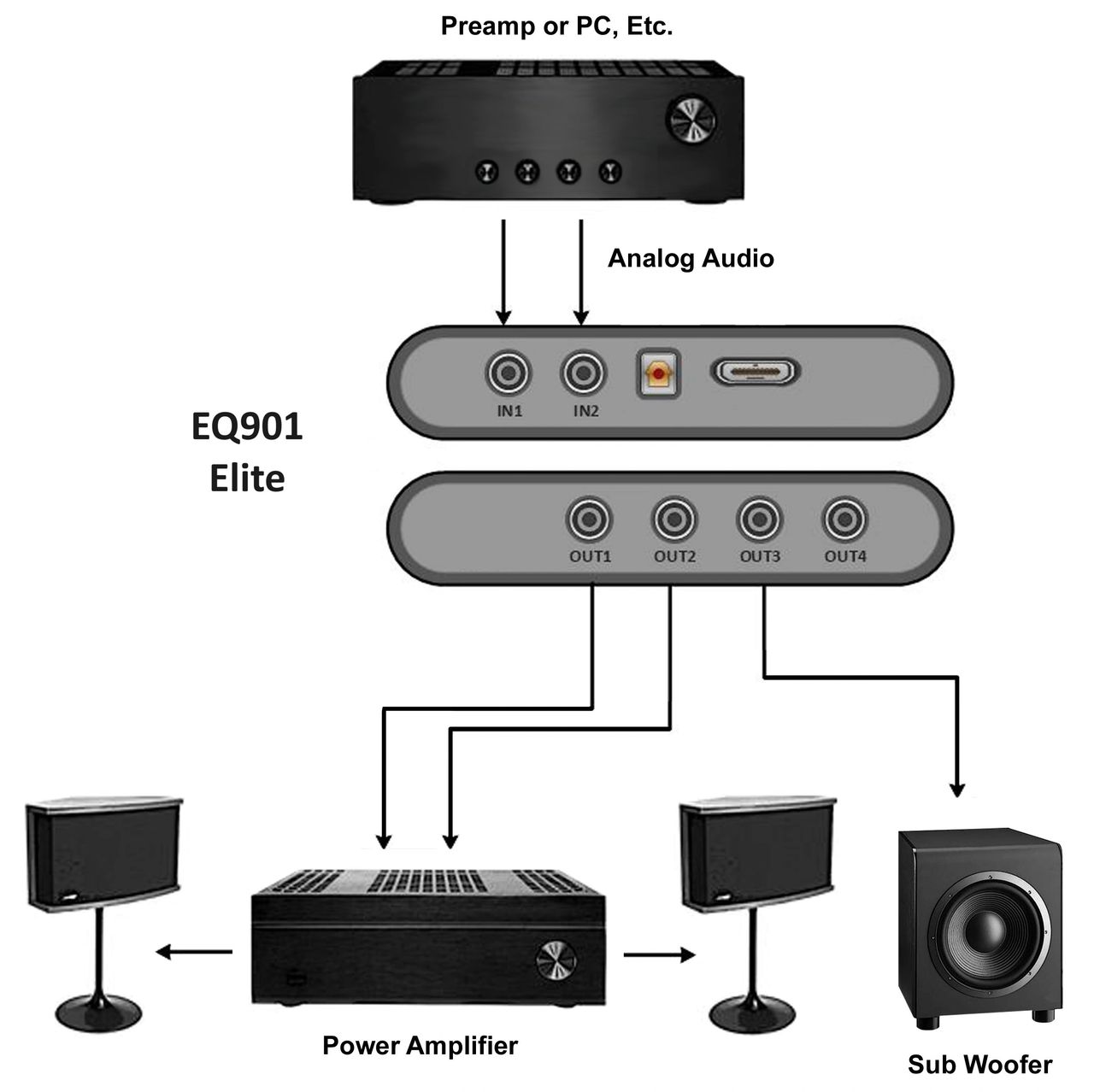
Integrating a subwoofer into your Bose 901 system adds many benefits, from last octave bass extension to reduced overall distortion and increased power handling.
Using an EQ901 Elite or EQ901 Platinum with subwoofer option, you’ll gain modern DSP crossover technology along with the Bose 901 equalization curves. The payoff is added clarity, imaging and dynamics.
The two primary elements of an EQ901 with subwoofer option are the active crossover and the Bose 901 equalizer curve. An active crossover with high pass for the Bose 901s and low pass for your subwoofer is implemented concurrently with the 901 EQ curves. The crossover filters in the EQ901 have been optimized to seamlessly integrate the sound of your subwoofers with your 901s.
Dual Stereo Bose 901s with Two Amplifiers
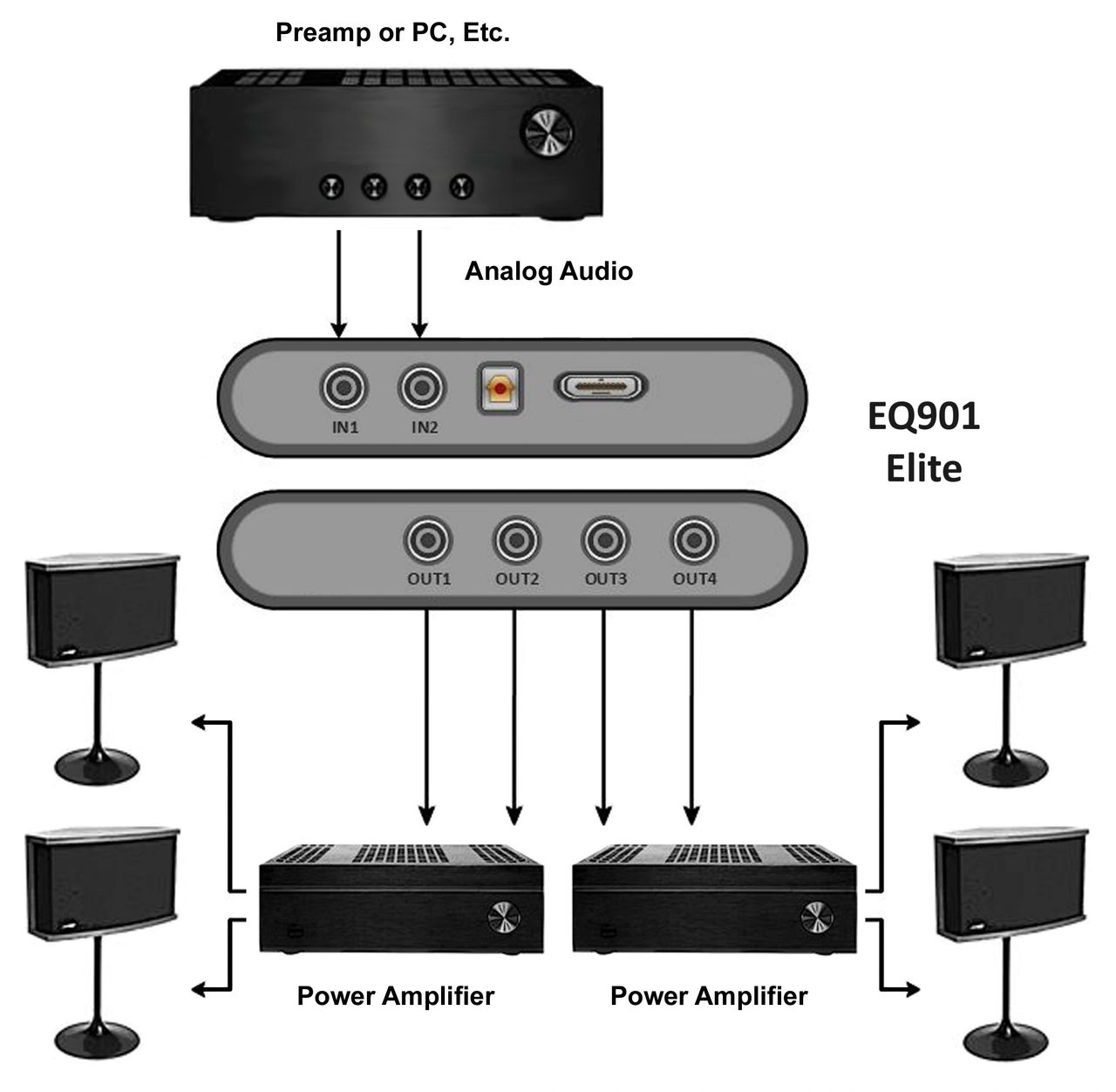
In this example, you will use two stereo power amps to drive a total of four Bose 901 speakers. This is a 100% active setup with no splitter cables, which provides the highest fidelity results.
The configuration is supported by the EQ901 Elite or EQ901 Platinum, as they both have dual stereo outputs that are driven actively.
Driving Four Bose 901s with a Single Amplifier
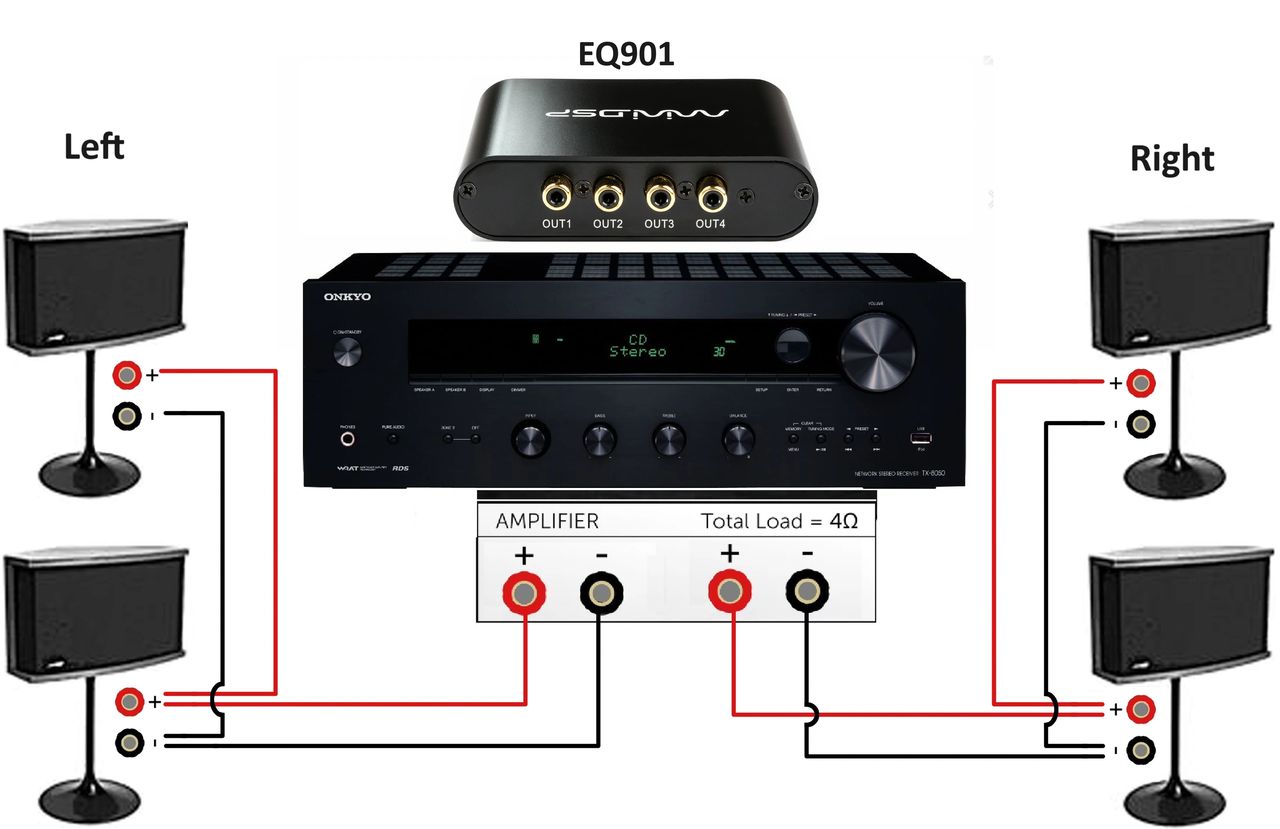
It is possible to connect four Bose 901 speakers to a single stereo amplifier. Two 8 ohm speakers wired in (hooked up) parallel results in a 4 ohm speaker load. This can be implemented with any of the various EQ901 models and configurations.
You will connect the left channel 901s and then the right channel 901s as shown in the diagram below.
Your amplifier needs to be capable of driving a 4 ohm load. We recommend a minimum capability of 100 watts into 4 ohms. If in doubt, check with the amplifier manufacturer.
Audio Video Receiver Setup for Bose 901s
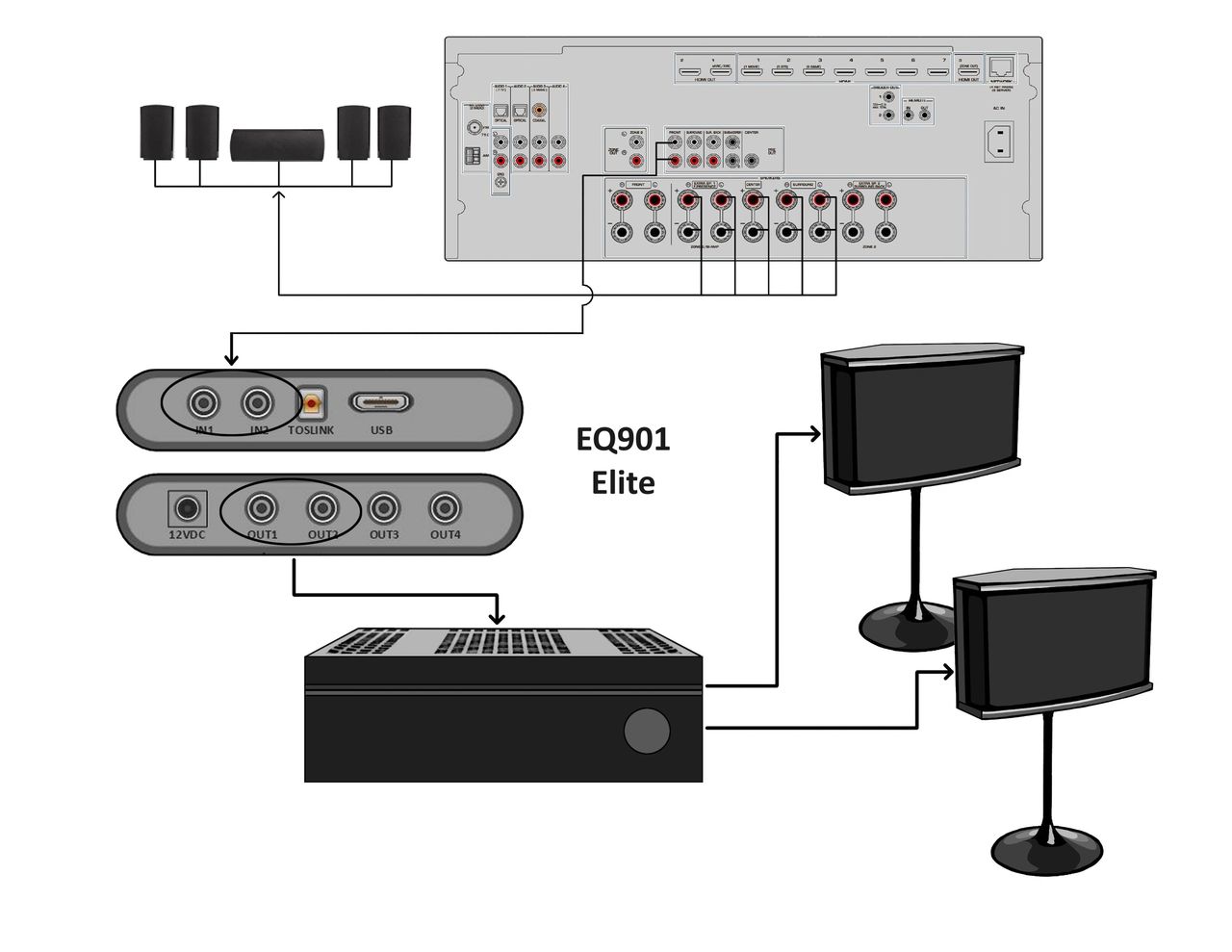
There are several ways to configure your Bose 901s for a home theater setting. But the best option for connecting an EQ901 to your Audio Video Receiver (AVR) is to add a separate power amplifier after your EQ901 equalizer.
First, connect the pre out main left and right to the EQ901 inputs 1 and 2, and the EQ901 outputs 1 and 2 to the power amplifier inputs left and right. Then connect your 901 speaker to the power amplifier outputs.
The equalized signal will now play through the front left and right speaker outputs in the stereo and home theater modes.
Combining Bose 901s with Non-Bose Speakers
There are many ways to combine Bose 901 speakers in a system with non-Bose 901 speakers. The key is not applying the Bose 901 equalization to the non-901 speakers. Adding equalization would make other speakers sound very bright and bassy with no mid-range, and possibly cause damage.
In our example we use a modern AVR that has pre main left and right outputs, and then we add a standalone amplifier, preferably with volume control.
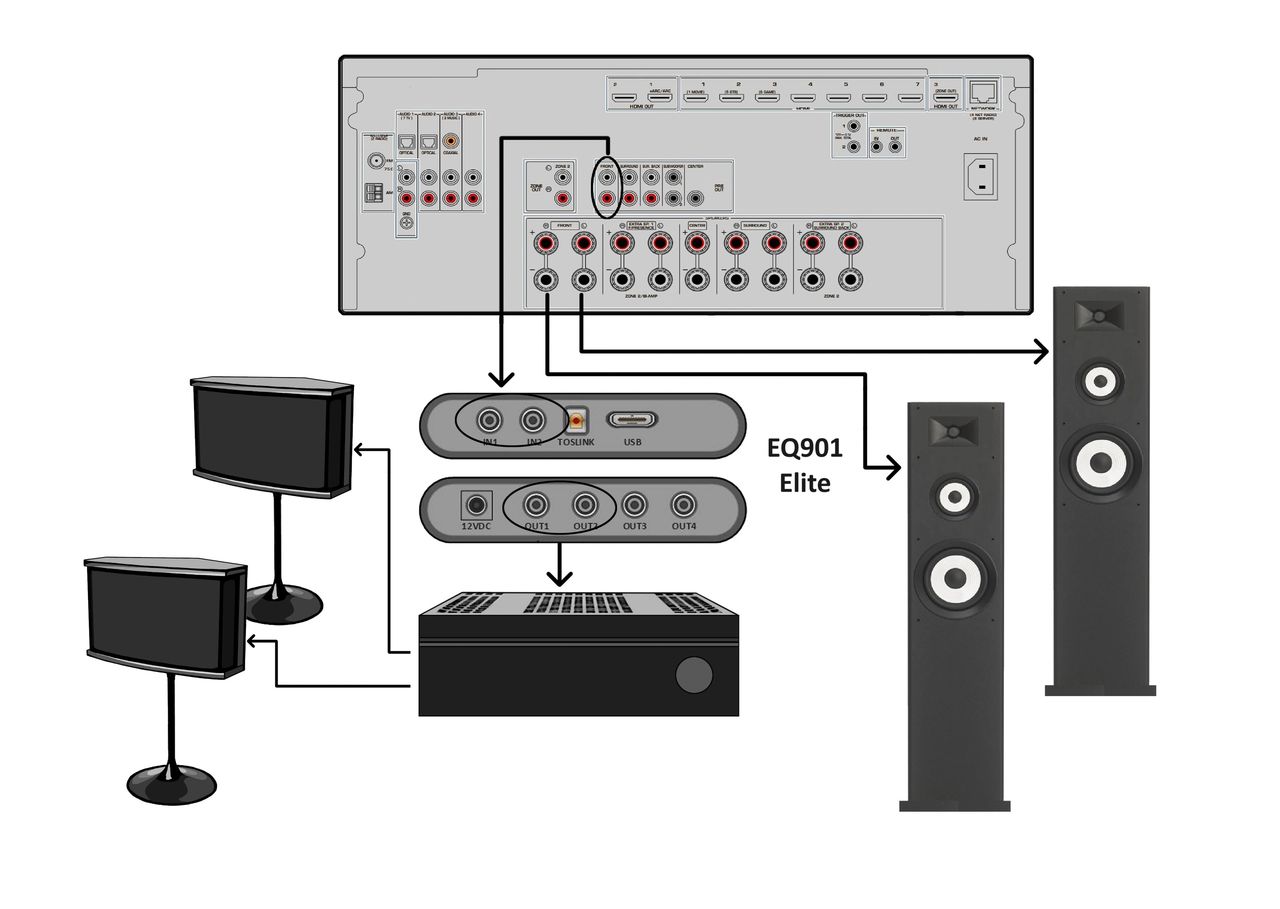
The system takes the pre out main left and right line level signal from the AVR and directs it through the EQ901 equalizer. The outputs of the EQ901 then connect to the standalone amplifier that drives the 901s.
The speaker level outputs from the AVR connect directly to your non-901 speakers, bypassing the Bose equalization.
If the external amplifier has a volume control, this will allow you to balance the output level of the 901s with your other pair of speakers. Another way to accomplish this would be with the EQ901 Elite or EQ901 Platinum, both of which provide separate volume control.
Since most AVRs have a subwoofer out, you also could add an optional subwoofer.
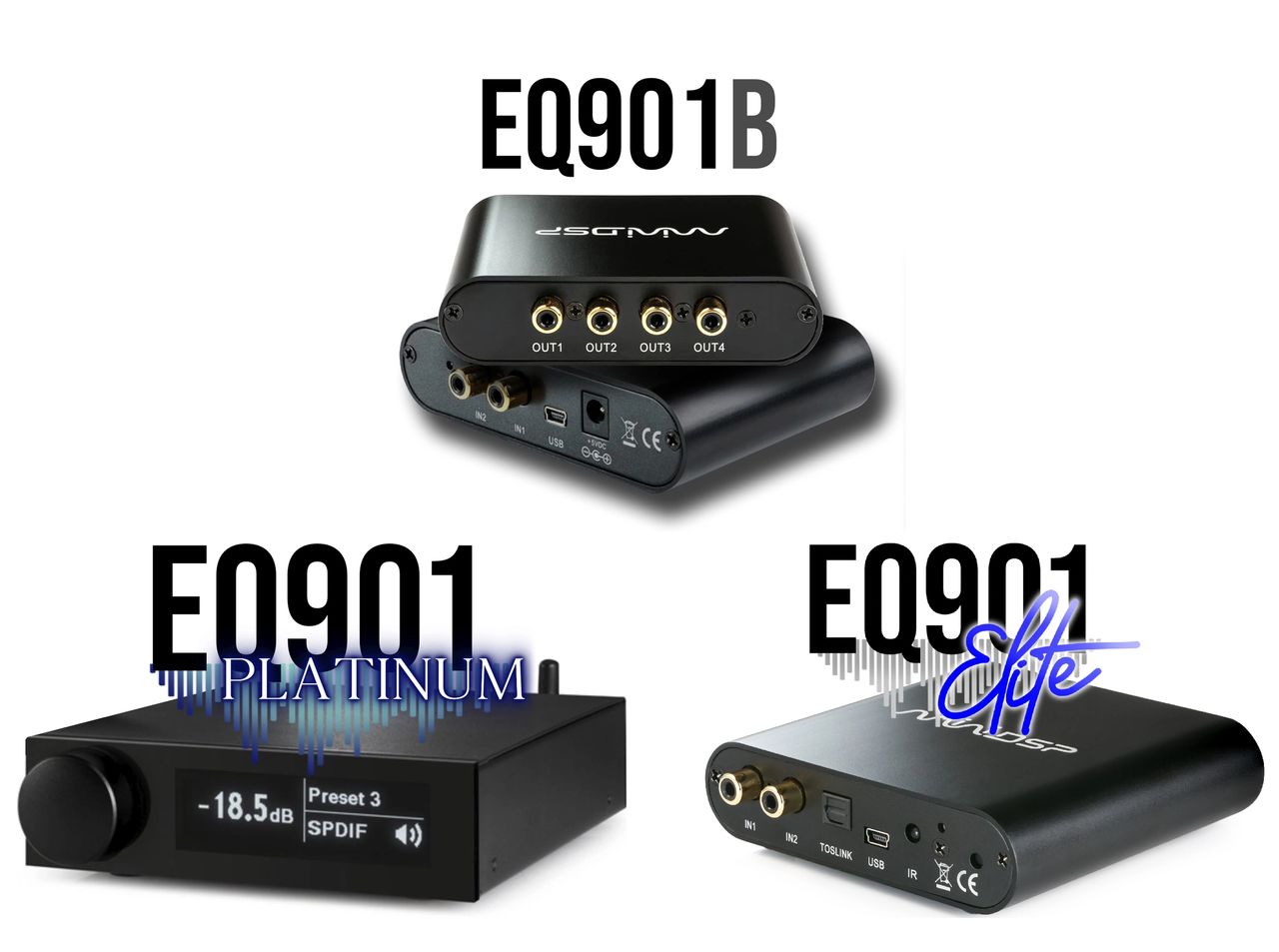
The Deer Creek Audio family of EQ901 replacement equalizers includes the EQ901 B, EQ901 Platinum and EQ901 Elite.
Check out the companion video and more on our YouTube Channel
https://www.youtube.com/@deer_creek_audio
If you have questions or would like to discuss in more depth, feel free to give us a call or drop a line.
Share: