


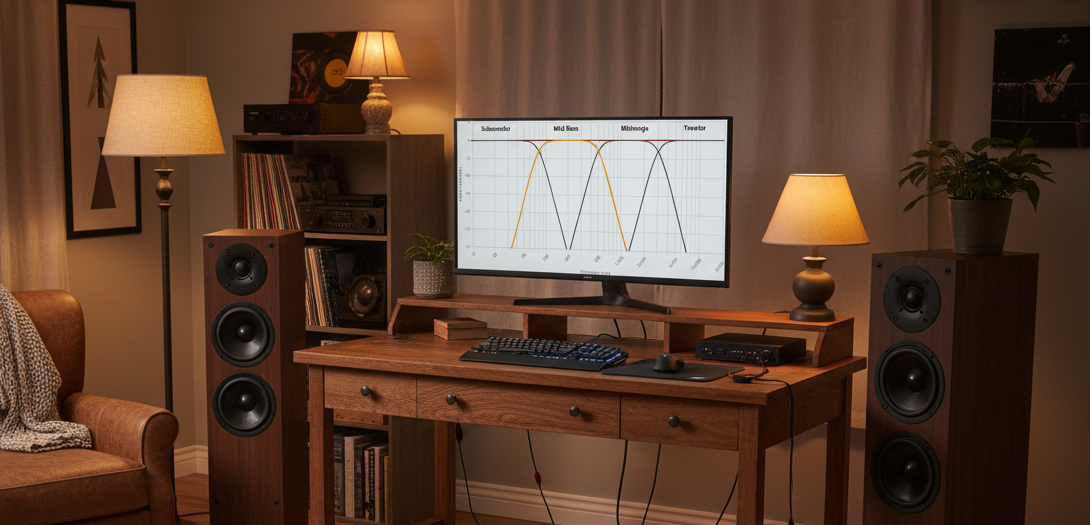
Overview of Common Active Crossover Applications
in Modern Audio Systems
Crossovers, parametric equalization and Dirac Live are three of the most powerful tools found in the miniDSP product line that includes the 2x4 HD, Flex and SHD series. With the advanced Device Console application software, you are able to use these tools to create a unique live sound experience tailored to your system.
This blog provides an overview of the various types of crossover applications that you can apply using miniDSP’s Device Console.
Content Outline
-
Crossovers for Multi-way Speaker Systems
-
Subwoofer Integration for 2.1 and 2.2 Stereo Systems
-
Home Theater Subwoofer Options
-
Amplifier and Speaker Performance Tips
1. Crossovers for Multi-way Speaker Systems
This first crossover example uses a miniDSP Flex Eight in an active three-way speaker system that includes stereo subwoofers.

Diagram 1. Active three-way stereo system with subwoofers
We will create a four-way crossover beginning with the tweeter and then progressing through mid-range, woofer and subwoofer. The diagram below shows how to setup the routing matrix in Device Console, with the left and right tweeters on outputs 1 and 2, mid-ranges on outputs 3 and 4, woofers on outputs 5 and 6, and subwoofers on outputs 7 and 8.

Diagram 2. Crossover speaker selection and parameters are modified in the areas highlighted in red
For convenience, we will link the crossovers for the tweeters, mid-ranges and woofers as pairs. In the following diagram we link the crossover on output 1 to output 2 so the tweeters match each other. The linking function is found in the menu section of each crossover configuration page.

Diagram 3. Output channel linking function
The high-pass crossover for the tweeter in our example is a 5 kHz Butterworth 24 dB/oct filter.

Diagram 4. Crossover configuration showing cut-off frequency, filter shape and slope
The next step is to add the band pass filter for the mid-range. First we add a 5 kHz Butterworth 24 dB/oct low-pass crossover. This is a classic symmetrical mid-range to tweeter crossover example.

Diagram 5. Symmetrical mid-range to tweeter crossover
To complete the mid-range band pass filter we add a 500 Hz high-pass crossover. We now have a 500 Hz to 5 kHz Butterworth 24 dB/oct band pass filter.

Diagram 6. Mid-range band pass filter
Next we add a 50 Hz to 500 Hz band pass filter for the woofer. The reason the woofer has a high-pass crossover is because in this example the system also includes a subwoofer.

Diagram 7. Woofer band pass filter
Finally, we add a 50 Hz low-pass crossover for the subwoofer. You can now observe that the frequency duties of each driver have been somewhat equally distributed. We have chosen these crossover points because they are compatible with the operating ranges of each of the selected drivers.

Diagram 8. Completed active speaker four-way crossover
2. Subwoofer Integration for 2.1 and 2.2 Stereo Systems
A crossover that integrates your subwoofer(s) is one of the most critical tuning tools available to optimize your 2.1 or 2.2 system. The following example is for a Flex-based 2.1 stereo system.

Diagram 9. Active subwoofer 2.1 stereo system
Here the crossover integrates the main speakers on outputs 1 and 2 with the subwoofer on output 3. The resulting single subwoofer is monauralized by summing input channels 1 and 2.

Diagram 10. Crossover speaker selection and parameters are modified in the areas highlighted in red
First we add the high-pass crossover for the main speakers. The high-pass crossover for the full range speaker is an 80 Hz Butterworth 24 dB/oct. Later in this blog we will explore other crossover configurations.

Diagram 11. Typical 2.1 main speaker high-pass crossover
Next we add the low-pass crossover for the subwoofer. Diagram 10 shows a textbook 80 Hz Butterworth 24 dB/oct crossover.

Diagram 12. Typical 2.1 subwoofer to main speaker crossover
The variation below is an asymmetrical crossover that has a soft, gradual high pass for the main speakers and a very sharp low pass for the subwoofers. This has two positive effects. First, it allows the main speakers, especially those with larger woofers, to extend their range and helps to reduce room mode effects, giving a greater bass presence. Second, the steep subwoofer crossover limits distortion.
***** MISSING IMAGE
Diagram 13. Typical asymmetrical subwoofer main speaker crossover
Finally, we add a subsonic filter to the subwoofer crossover that is just above the useful range of the subwoofer. This helps to reduce excessive cone excursion and heat dissipation.

Diagram 14. Subsonic subwoofer high-pass filter
3. Home Theater Subwoofer Options
When using the miniDSP 2x4 HD to add multiple subwoofers to your home theater system, you have several options.
You can choose to use the low-pass crossover in your Audio Video Receiver (AVR) that would be compatible with your subwoofers and main speakers, such as 80 Hz. Or you could choose to turn off the AVR low-pass crossover for the subwoofer or set it to its highest value, then use the low-pass crossover within the miniDSP. The advantage to using the filter in the miniDSP is that you have much more flexibility over the filter shape and slope.
Following are a few examples with the main speaker set in the AVR to an 80 Hz high-pass crossover and some options for various low-pass subwoofer crossovers.
This first diagram shows the classic 80 Hz Butterworth 24 dB/oct high and low-pass crossover that is found in most AVRs. This is usually used in conjunction with large main front speakers.
***** MISSING IMAGE
Diagram 15. Typical symmetrical subwoofer to main front speaker crossover
Using the miniDSP low-pass crossover, you can create a much sharper low-pass cut off. This helps minimize subwoofer distortion.

Diagram 16. Sharp low-pass crossover combined with typical AVR high-pass crossover
This is a very soft low-pass roll-off for the subwoofer, which can add significant mid-bass punch. It's definitely worth experimenting with to see if you like it.
***** MISSING IMAGE
Diagram 17. Adding bass with a soft subwoofer roll-off crossover
If your system utilizes multiple subwoofers of significantly varying design, you need to take their individual band pass characteristics into consideration when choosing the subwoofer crossover points. The example that follows shows one subwoofer with significantly less low frequency capability than the other, and the resulting crossovers applied to each.

Diagram 18. Crossovers for significantly different subwoofer types
4. Amplifier and Speaker Performance Tips
High and low-pass filters can be applied to enhance the performance of your overall audio system. These enhancements come in the form of improved system distortion, tighter bass and smoother treble response.
The diagram below shows adding a high-pass filter to a full range speaker. The filter can be selected to be very close or just above the natural roll-off of the target speaker, and provides improved bass tightness, lower distortion and increased power amplifier efficiency. This example applies to full range speakers as well as subwoofers.

Diagram 19. Subsonic filter for full range speaker or subwoofer
An extreme high frequency filter can be added to limit any potential energy above the audible frequency range from entering your amplifier and speakers.

Diagram 20. Ultrasonic low-pass filter
A low-pass filter at 16.5 kHz will mimic the performance of many popular tube amplifiers. This filter gives a warm, enjoyable sound and also can help reduce the fatigue of some horn tweeters. You can experiment with various slopes, as shown below, to find what works best for you.

Diagram 21. Mellowing treble with various low-pass filters
If you have questions or would like to discuss in more depth, feel free to give us a call or drop a line.
Share: