


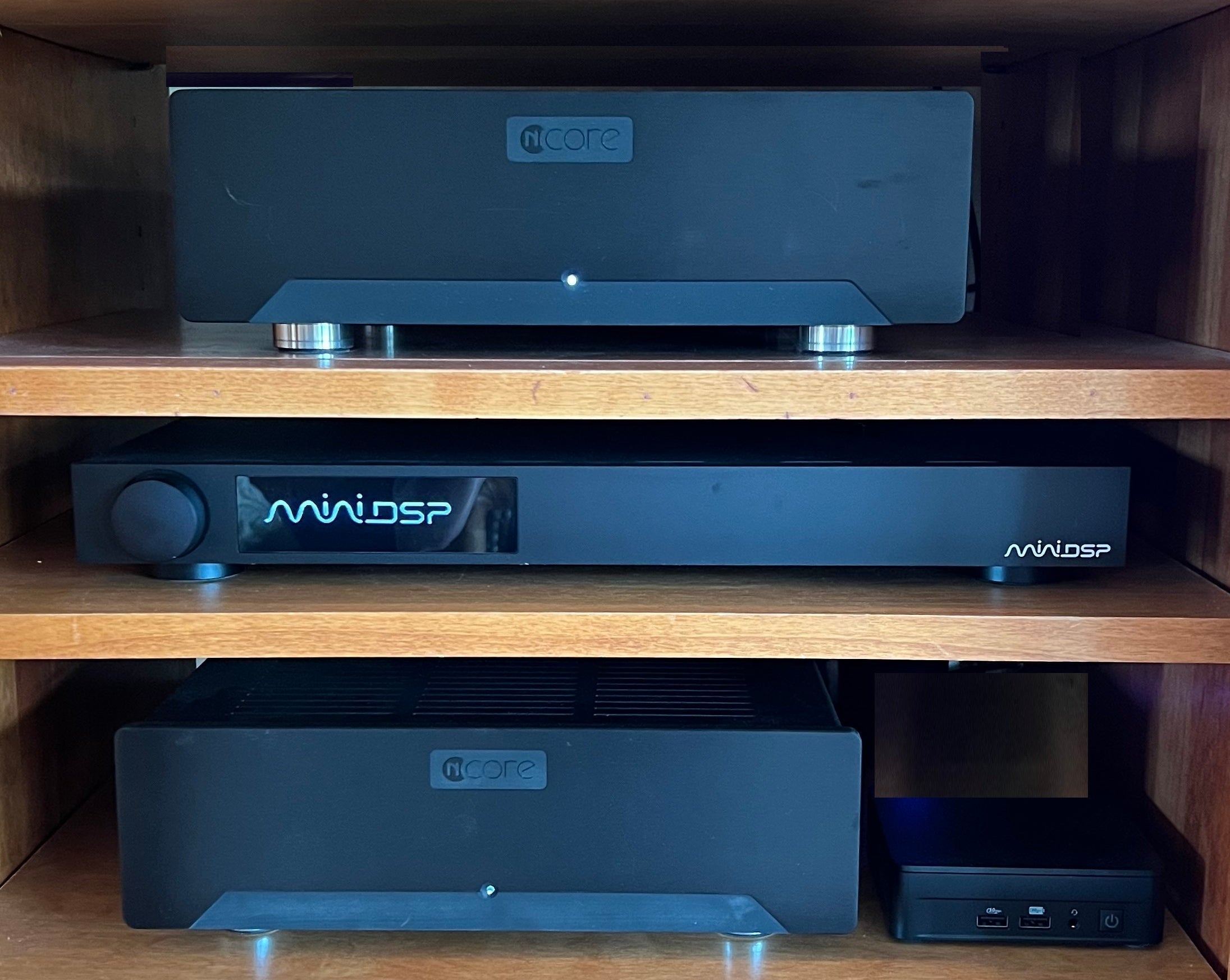
Build an Active 4-Way Speaker System
with Multi-way Crossovers using miniDSP HTx
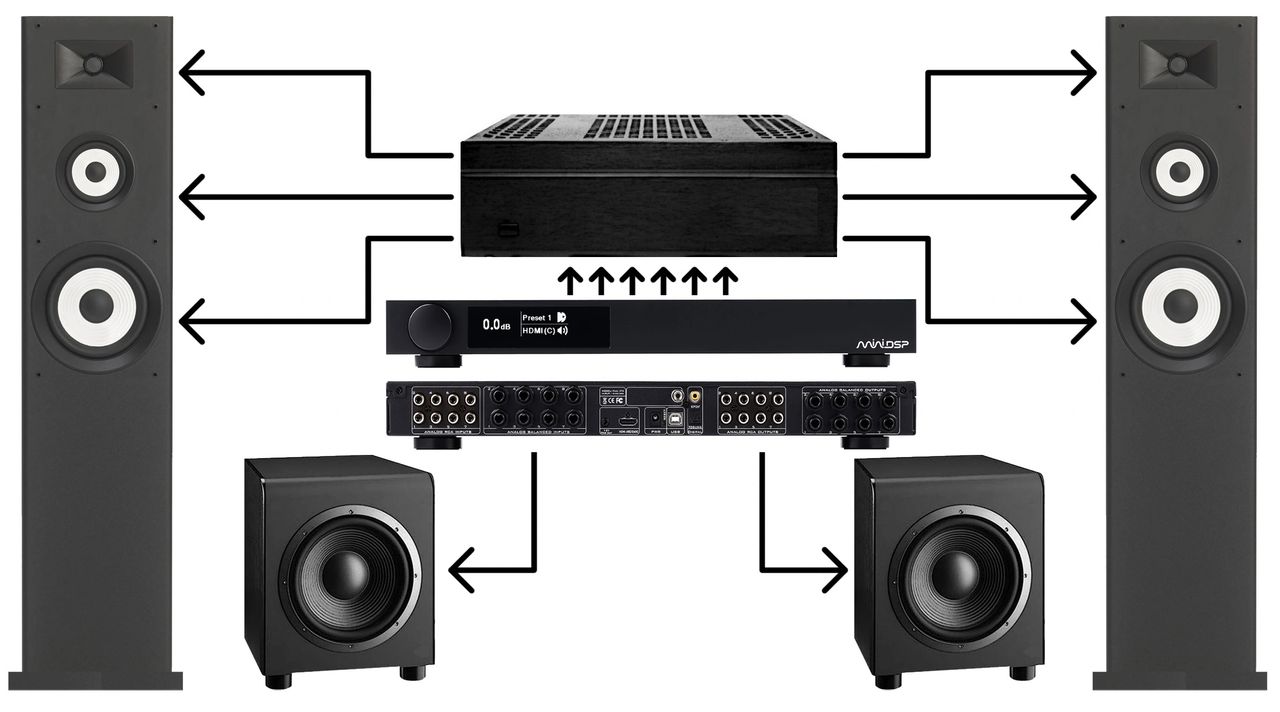
In this system spotlight, we are using a miniDSP Flex HTx in an active three-way speaker system with stereo subwoofers. Going forward we will refer to this as a 4-way active system.
If you are not familiar with the Flex HTx, please read our tech blog or watch the video of “Overview of miniDSP Flex HTx using Device Console” before diving into this system spotlight.
This system block diagram shows the components of our active 4-way stereo design.
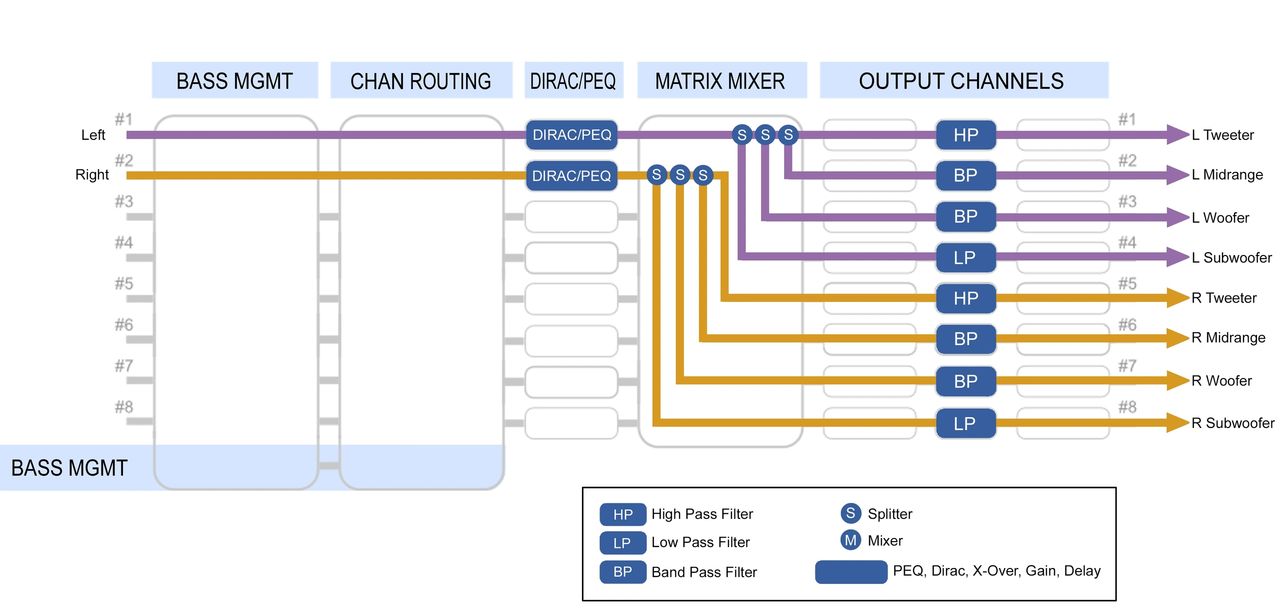
Signal Flow Diagram
The Signal Flow Diagram for this example shows a two channel stereo input, which is then divided into four active channels for each of the left and right speaker groups. Using the active Output Channels page, we optimize the crossovers, delays, gains and polarities.
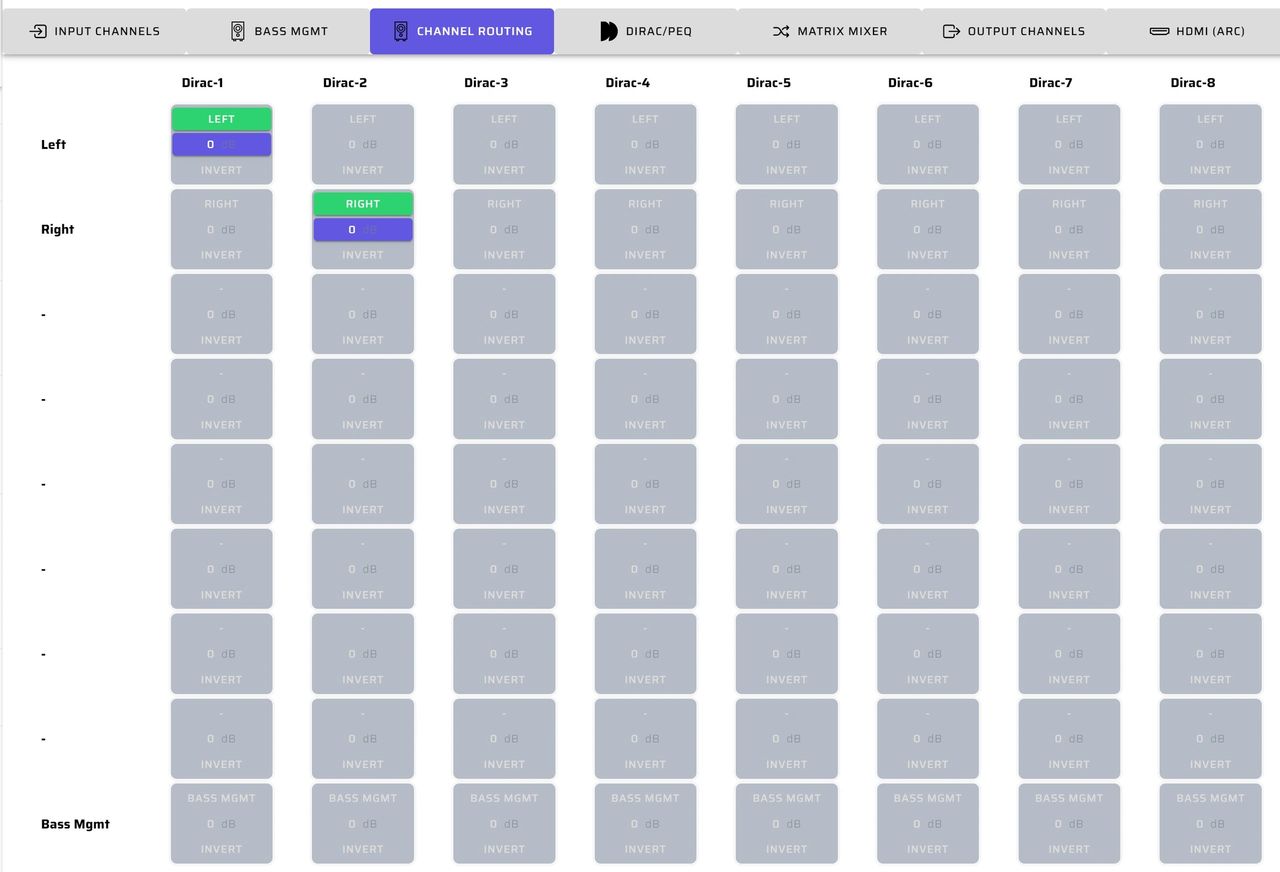
Channel Routing
Using the channel routing page, we will direct the left and right inputs into the Dirac / PEQ processing section. In this example, the system is finally calibrated using either a Dirac project or PEQ equalization after the eight output channels have been configured.
Dirac / PEQ
The central block of the Signal Flow Diagram is where Dirac and/or PEQ calibration occurs. The overall stereo system can be calibrated using either. This step is completed after all of the individual speaker driver PEQs, crossovers, delay, gain and inversion settings have been finalized.
Using the Dirac channel selections page, you will elect to perform Dirac only on the main left and right channels.
Again, Dirac or PEQ room corrections will be completed after all of the settings on the output page have been tested and validated by careful listening. The result will be an integrated room corrected system.
For more details on how to complete a Dirac project, please refer to the miniDSP Flex HTx user manual: Dirac Live - miniDSP Flex HTx User Manual
Matrix Mixer
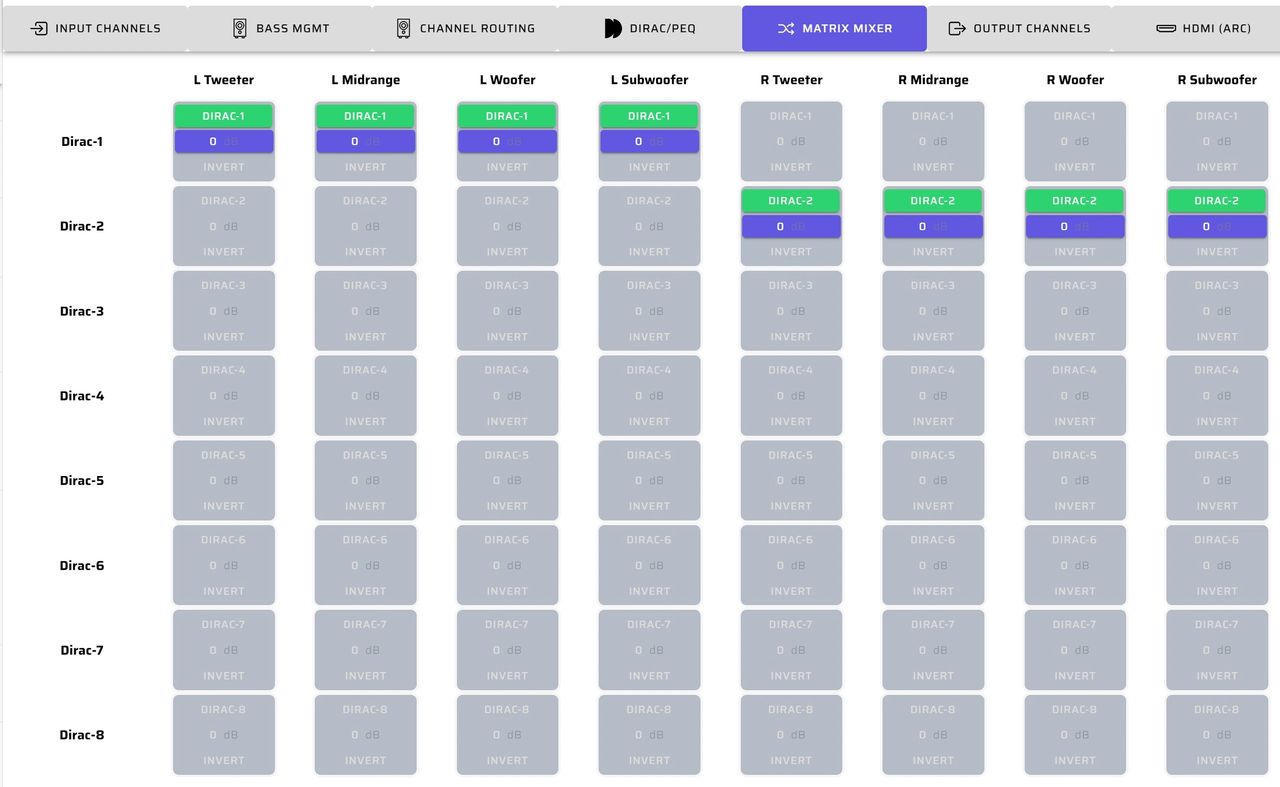
Next, the matrix mixer splits the main left and right inputs into the four active output channels per stereo side, for a total of eight. After this separation the crossovers, delays, gains and polarities need to be optimized using the Output Channels page.
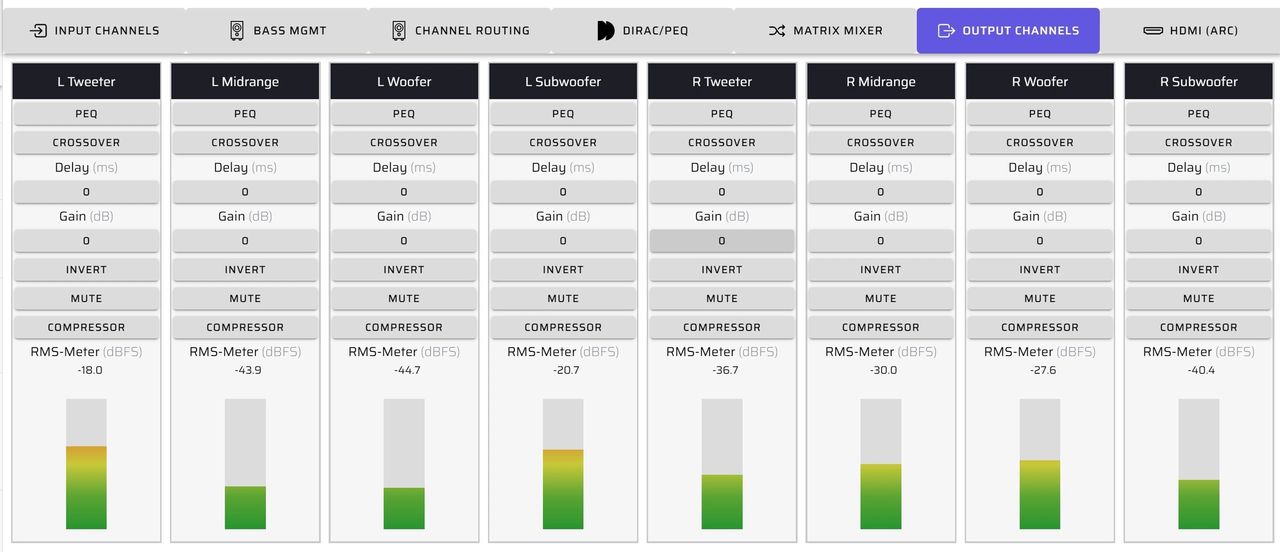
Output Channels
In our 4-way active system, we applied the following primary controls on each output channel:
- PEQ
- Crossovers
- Delay
- Gain, and
- Inversion
The goal here is to configure and optimize your active 4-way system prior to overall system room correction. With REW you’ll observe the overall system frequency response and confirm the results by listening evaluation.
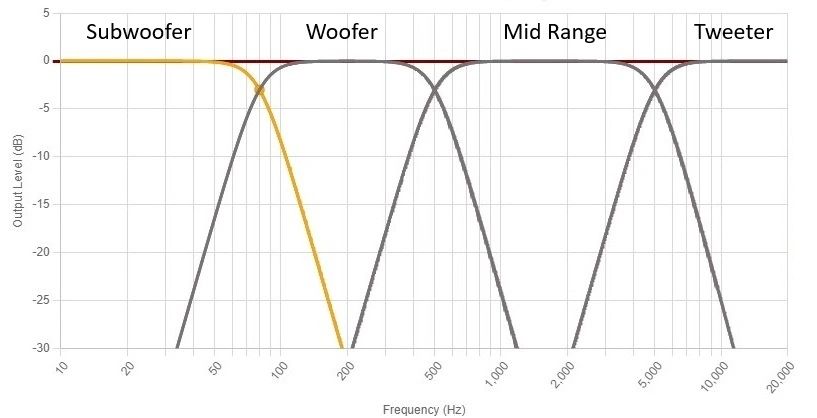
This plot shows what a typical active four-way crossover looks like in the output channels PEQ. For each filter we can set high pass, low pass, crossover slope and crossover type. You can choose from 12 crossover slopes and types, ranging from 6 to 48 dB per octave.
For more information on setting up the active crossover system, please see the tech blog Crossover Basics using miniDSP Device Console or check out our Crossover Basics with Device Console video on youTube.
Signal Flow Diagram Template
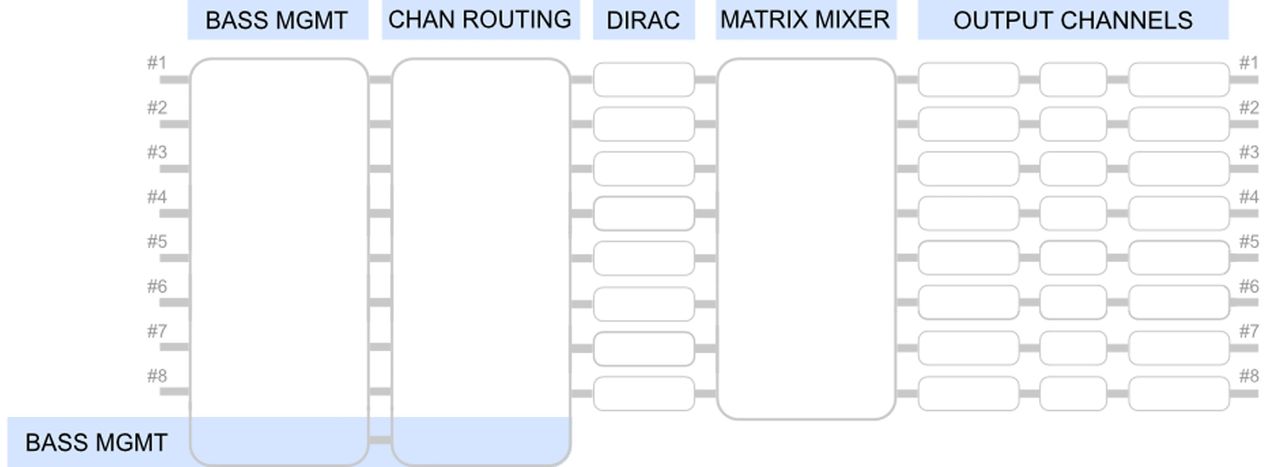
You can download a blank Signal Flow Diagram here and use it to sketch ideas for your system layout before implementation.
If you have questions or would like to discuss in more depth, feel free to give us a call or drop a line.
Share: